Show your coding agent the errors it already hit.
oars reads your Claude Code, Codex, Cursor, and other coding agent sessions and keeps a redacted, searchable record on your machine.
npx @manyoars/oars sessions tryA real line from oars sessions recall --context, from our own record, redacted by oars.
- Bash | <path> -c: line <n>: unexpected EOF while looking for matching `<q> (4 sessions in the last 300; next: Write, Bash)
From oars sessions try, on made-up sessions.
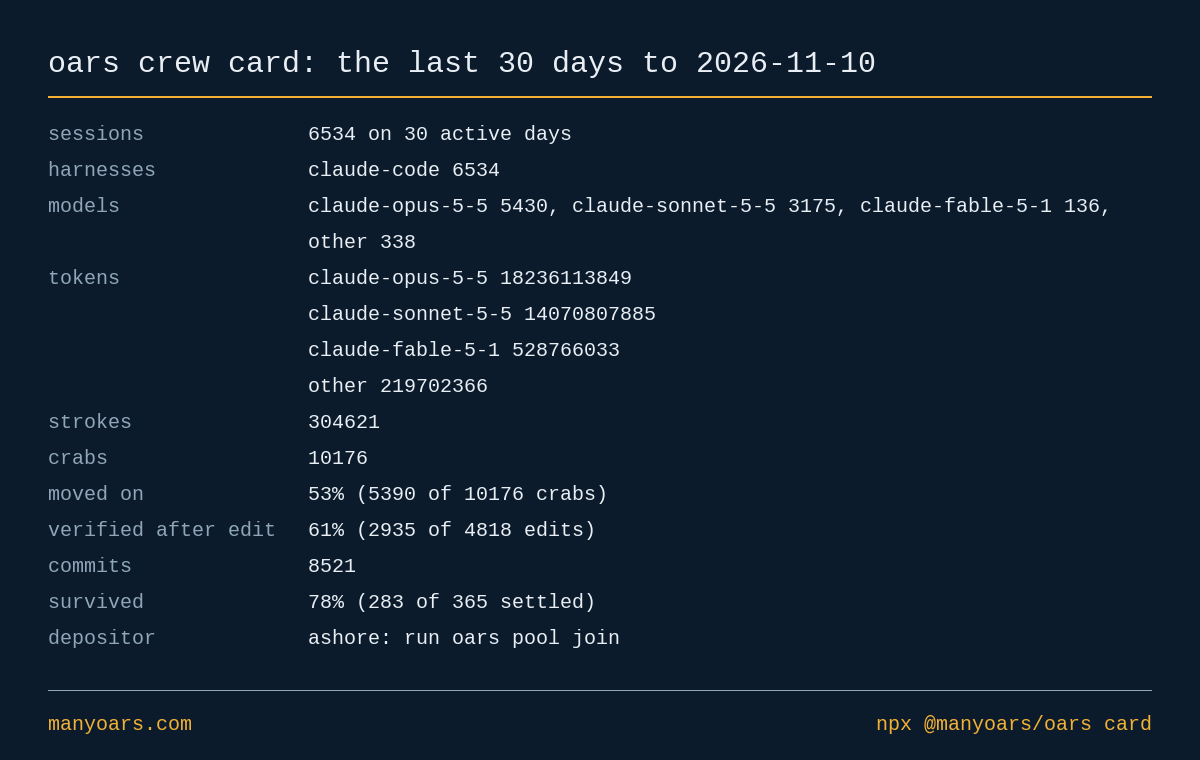
Make your own:
oars card --monthDeposits are open. You send an outline of each session and get what other people's sessions did next. A deposit that counts lifts the weekly fetch limit. How deposits are used.
Session packs are real coding agent sessions, licensed for evaluation. See what is in a pack.
The open pack is counted on one page: what followed its failed calls.
What it does
-
deposit - Reads your sessions from Claude Code, Cursor, Codex, and other agents. --allow limits it to the folders or agents you name; --deny keeps a folder out.
-
recall - Finds an error, a file path, or a prompt class in your record. With --mcp, a running agent can ask too.
-
hooks - Adds hooks to your Claude Code settings. They give your agent context, such as the errors a repository hits most. It comes from your own record, unless you have run oars pool fetch, which can add what sessions from other people show. A hook that fails exits quietly and never blocks a session.
-
card - Draws a card like the one above, over a window, from your local record.
Install
Before you install, see what leaves your machine.
You need Node 22.23.4 or later.
Install it:
npm install --global @manyoars/oarsRecord your sessions on your machine; this is not a pool deposit. With no --allow, oars reads every source it knows. Add --allow with a path to read one folder only.
oars sessions depositIn a repo you use, print the errors that recur there:
oars sessions recall --contextAdd the hooks so your agent gets that context itself:
oars sessions hook installJoin the pool
One command sends an outline of your sessions to the Many Oars pool, a shared index of what coding agent sessions did.
oars pool joinIt signs you in with GitHub or Google, and asks one question about your region. It waits for your never-send list (oars calls it the term file), the words that must never leave, such as a client's name. No session is sent until the list holds at least one word. Then it shows exactly what would go. It also shows the pool terms (the covenant) and waits for you to type the covenant phrase before the first send.
After that, oars sends each new session on its own, no sooner than an hour after it ends. To fetch what the pool knows, run:
oars pool fetch --harness-version YOUR_VERSIONWhat you send, what you get
You send an outline of each finished session: its steps, the names of the tools, models, files, folders, and variables used, and counts and timing. It never carries a full path or a command's arguments. Full transcripts stay on your machine unless you say yes to a second question.
You get what the pool knows: what other people's sessions did next after the same failed call. A deposit that counts lifts the weekly fetch limit for as long as it counts. A deposit counts if its session has a prompt and a tool call, and it is not a repeat.
Stop any time with oars pool logout. What you already sent stays in the pool. The covenant says what we may do with it, so read it before you accept.
Where your data goes
- Your record is a folder on your machine. oars masks secrets, email addresses, and domains you name before it writes it. Redaction can miss things.
- The original transcripts stay on your machine too, unredacted. Those files can hold secrets.
- Telemetry is on by default, except where the machine's time zone is in the EU, the EEA, or the UK. It sends counts, fixed labels, and a stack hash after a crash, never your sessions. Turn it off with oars telemetry off.
- No session goes to the pool until you accept the pool terms (the covenant), published at manyoars.com/covenant.
- What a hook or the MCP tool returns goes to your agent's model provider, like the rest of the session.
See what leaves your machine, when, and how to stop it.
Remove it
Run oars sessions hook uninstall for each scope you installed, then oars sessions hook install --schedule off. Delete the record folder (the sessions folder in your config folder) and uninstall the package.
For the full list of files to delete, see what leaves your machine.